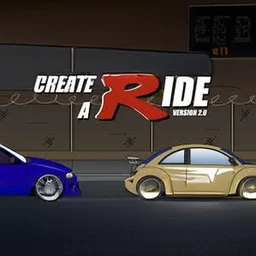
 Create-A-Ride
Create-A-Ride
More games to play
 Car Drawing Game 3DDraw a car with one line and race it against real players online.
 Car Drawing GameDraw one line to build a car and race it to the finish.
 Color Tap: Coloring by NumbersFill numbered regions with matching colors to complete relaxing pictures.
 Used Car Dealer TycoonRun a used-car lot: buy inventory, train staff, and negotiate deals.
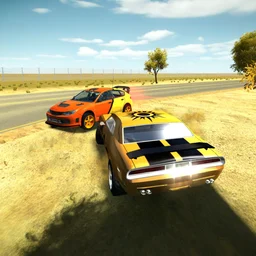 3D Car SimulatorPick a rally, police, or classic car and free-roam across 3 detailed maps.
Customize your car with paint, decals, parts, and plates, then drive it.
Create-A-Ride game details
| Detail | Value |
|---|---|
| Genre | Simulation |
| Platform | Web browser (desktop & mobile) |
| Price | Free to play |
| Rating | 4.5/5 from 2,446 votes |
A Dress-Up Game for Cars
Create-A-Ride is a simulation game that takes the fun of a dress-up game and applies it to something far cooler: your very own car. Instead of styling an outfit, you customize a vehicle from the ground up, turning a plain ride into your dream machine. The whole point is creative freedom, letting you experiment with looks and parts until the car reflects exactly what you imagine. It is a relaxed, casual game with no pressure, just the satisfying process of making something your own. For anyone who loves cars or simply enjoys tinkering and personalizing, it offers a playful sandbox where your imagination runs the show and every choice shapes a one-of-a-kind ride.
Paint, Decals, and Parts
The heart of Create-A-Ride is the deep customization on offer. You can give your car your dream paint job, choosing the colors that make it pop, then add decals to layer on style and personality. Beyond the looks, you can soup it up with different parts, tweaking the build to suit your vision. There is even the option to make custom plates, adding a final personal flourish that makes the car unmistakably yours. This range of options means no two creations have to look alike, rewarding experimentation as you mix paint, stickers, and components. The freedom to combine all these elements is what gives the game its lasting appeal, since there is always another look to try out.
| Customization | Detail |
|---|---|
| Paint job | Choose your dream colors |
| Decals | Add stickers for style |
| Parts | Soup up the build |
| Custom plates | Make the car truly yours |
Show Off Your Creation
Customizing your ride is only half the fun in Create-A-Ride. Once your car is finished, you can take it out into different scenarios to see your creation in action, showing off the result of all your tinkering. This step gives your design a purpose beyond the garage, letting you admire how your paint, decals, and parts come together on the road. It turns the game from a static editor into something more satisfying, where the payoff is seeing your dream car out in the world. That cycle of building and then displaying your work encourages you to keep refining and experimenting, since there is real joy in watching a creation you shaped from scratch come to life in a fresh setting.
Controls and Game Details
Create-A-Ride keeps its controls about as simple as possible. You use the left mouse button to select and apply your customizations, clicking through paint, decals, parts, and plates to build your car. That single, intuitive input is all you need, putting the entire focus on creativity rather than on any complicated scheme. Made by Erik Wolter, the game runs free in the browser on desktop and mobile, so you can let your imagination run wild anywhere. There is nothing to download and nothing to learn beyond a click, which makes it easy to jump straight into designing. The table below sums up the basics for anyone ready to start building their dream ride.
| Detail | Value |
|---|---|
| Genre | Simulation and customization |
| Developer | Erik Wolter |
| Controls | Left mouse button to select |
| Platform | Web browser, desktop and mobile |
| Rating | 4.5 out of 5 from 2,709 votes |