Color Tap: Coloring by Numbers
More games to play
 Car Drawing Game 3DDraw a car with one line and race it against real players online.
 Car Drawing GameDraw one line to build a car and race it to the finish.
 Used Car Dealer TycoonRun a used-car lot: buy inventory, train staff, and negotiate deals.
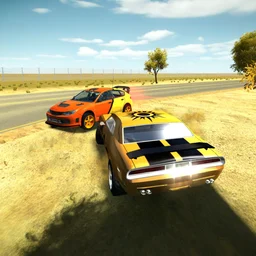 3D Car SimulatorPick a rally, police, or classic car and free-roam across 3 detailed maps.
 Create-A-RideBack to the main game
Color Tap: Coloring by Numbers is a paint-by-numbers puzzle game you can play free in the browser, no download needed. Each picture is divided into regions, and every region carries a number that corresponds to a color in your palette. Pick a color, tap all the regions that share its number, then move to the next until the picture is finished. It works on mobile and Chromebook and is unblocked at school, so you can color wherever you have a few minutes.
What is Color Tap: Coloring by Numbers?
Color Tap is a casual puzzle game in the paint-by-numbers tradition. You are given a linework picture split into many small numbered regions. Your job is to match each number to the right color from the palette on screen and fill every region in until the full image appears. There are no timers, no lives, and no way to fail. You work at your own pace, which makes it a genuine wind-down activity rather than a reflex challenge.
Controls
The controls are minimal by design.
| Action | Control |
|---|---|
| Select a color from the palette | Left mouse button |
| Apply color to a numbered region | Left mouse button |
| Zoom in or out on the canvas | Mouse wheel |
How a picture comes together
Each color in the palette is paired with a number. The typical workflow is to pick one color, then tap every region marked with that number before moving on. Going color by color keeps the canvas organized and lets you see the image build up in layers. Some pictures have a lot of small regions clustered together, so zooming in with the mouse wheel helps you hit the right spots without missing any.
| Step | What you do |
|---|---|
| 1 | Select a color from the numbered palette |
| 2 | Tap all regions on the canvas sharing that number |
| 3 | Repeat for each remaining color |
| 4 | The finished image is revealed when every region is filled |
Tips for finishing pictures cleanly
- Zoom in before filling dense clusters of small regions so you do not miss any.
- Work one color at a time rather than jumping between colors; it is faster and easier to track.
- If a region looks finished but the picture is not complete, check for tiny regions hidden near borders.
- Use the mouse wheel freely. The zoom is smooth and there is no penalty for zooming in and out.
Relaxation mode and no-fail design
Color Tap has no timer and no scoring pressure. Nothing expires and no move is wrong; you can color over a region again if you want to. This makes it suitable for short breaks or longer sessions equally. The game also has a companion mobile app if you prefer tapping on a touchscreen rather than using a mouse.